CA English (Canada)
CA French (Canada)
US English (US)

KB Knowledge

Portal
English (US)
CA English (Canada)
CA French (Canada)
US English (US)
Home Endpoint Devices Physical Phones Polycom

    Provisioning Polycom D230

    Updated at August 29th, 2024

    Add the device to the portal just like any other supported phone.
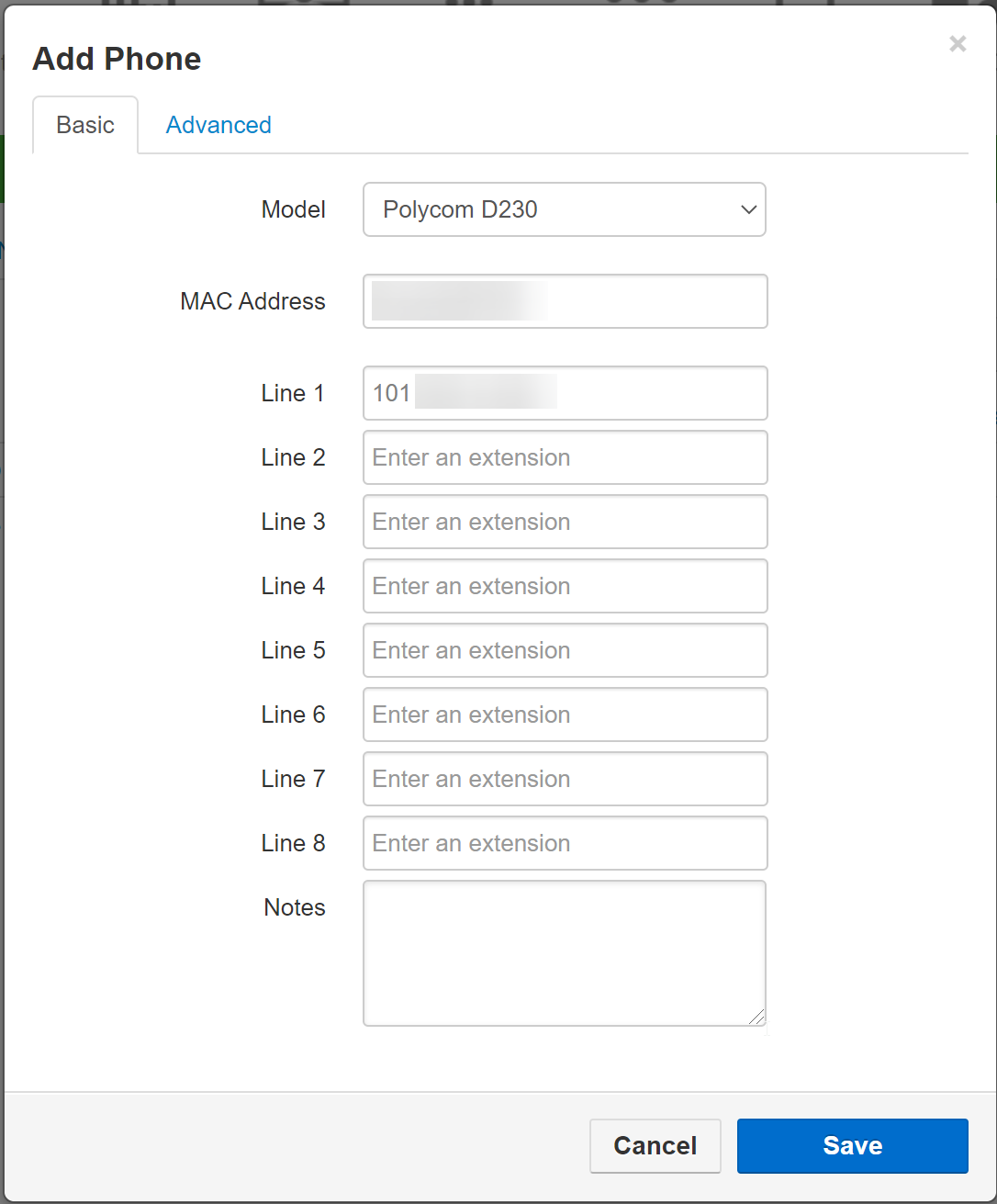
    Once this is done, power up the device
    Get the phones ip address and access the web ui
    the default username and pass is admin/admin
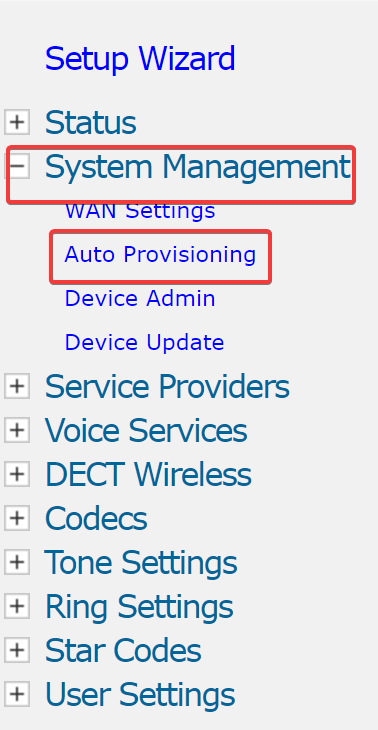
    navigate to auto provisioning
    Change both Config URL fields to:
    https://phones.iplogin.ca
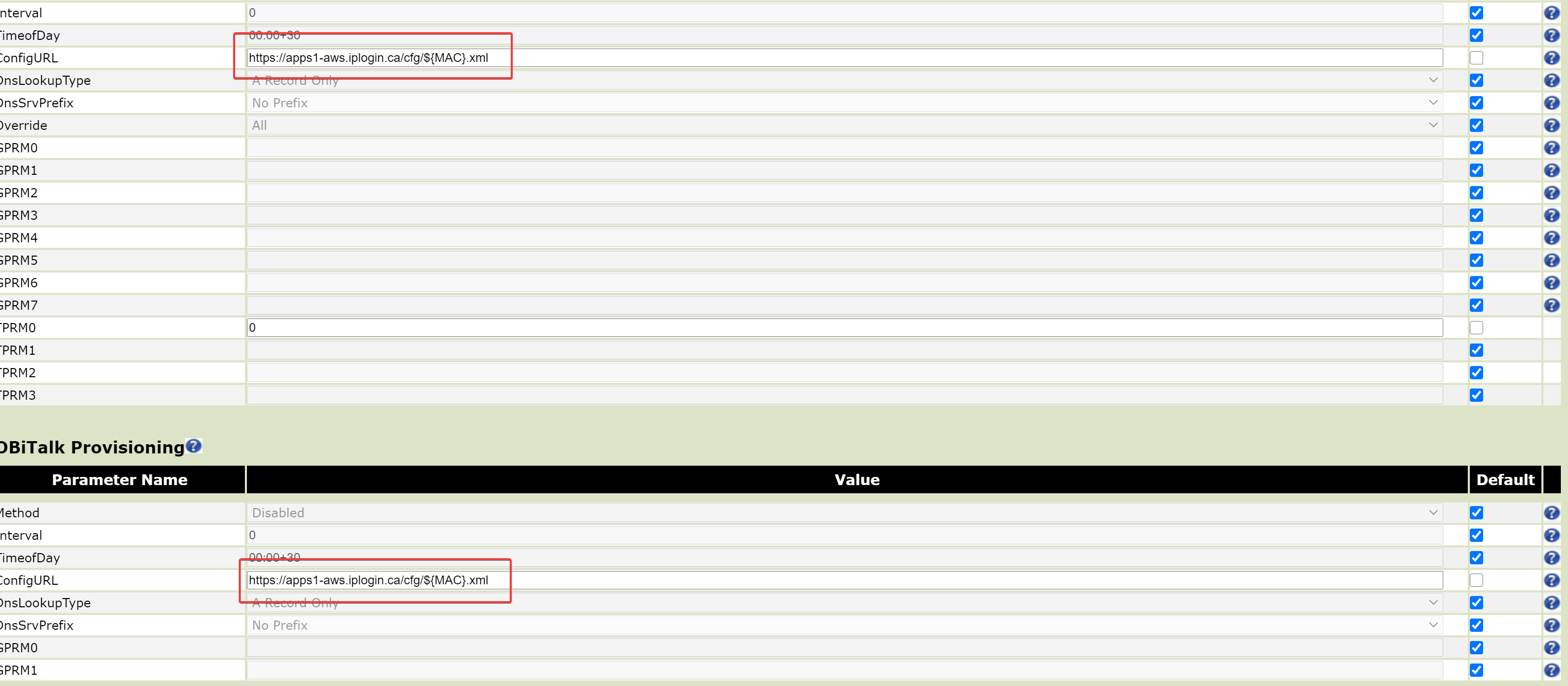
    Hit Submit then reboot

    • setting up
    • configuring
    Give feedback about this article

    Was this article helpful?

    Print to PDF

    Related Articles

    Manually Provisioning a Polycom

    Prerequisites Access to the portal The user has ALREADY been created.  (If you do...

    Polycom Factory Reset without Admin Password

    Prerequisites Physical access to the phone Polycom device MAC address     Factory...

    Poly Edge - Disabling the Caller Display Pop-Up

    Applies to: Poly Edge E220 | Poly Edge E350 | Hosted PBX  Overview When a call is...

    Home Admin

    Can't find what you're looking for? Contact us

    ©2026. All Rights reserved.

    Definition by Author

    0
    0